June 29, 2026
- Click analytics now show book titles alongside each entry—no more looking up which book ID is which.
Powered by your Notion database—embed it in Notion, WordPress, Elementor, Squarespace, Wix, ShowIt, Carrd, or anywhere that accepts HTML. Comes with a free pre-built Notion template to get you started in minutes. Sell your backlist, spotlight other authors, share your TBR, build affiliate income.
Series, standalones, or a mix of both—readers can scroll your whole catalog and jump straight to the store they prefer.
Every retailer URL for every book, in a single Notion database you own. No more hunting through old emails, publisher portals, or spreadsheets when a reader asks where to buy. Your master link library is always one click away—and always up to date.
When a pre-order goes live, a new edition drops, or a retailer changes your link, you fix it in Notion and every embed on every page reflects it instantly. No chasing down old blog posts or outdated link pages.
A backlist widget isn't just a list—it's an editorial choice about what you surface and how. Pin a first-in-series to the front. Spotlight a title that's been overlooked. Curate a TBR of books you love. The widget puts that intention front and center for every reader who finds you.
Authors who recommend other authors build community and earn trust. With a dedicated widget for curated picks or spotlight lists, those recommendations are organized, linkable, and earning you affiliate income every time someone clicks through.
Your Notion workspace, your WordPress site, your Squarespace portfolio, your Elementor page, your Wix store, your ShowIt template—one widget, embedded everywhere your readers find you. No rebuilding the same list on every platform.
Your books live in a Notion database that belongs to you. Not locked into a third-party book page tool, not dependent on a subscription that could disappear. Your catalog, your database, your terms. A free pre-built template is included so you can duplicate it and start adding books immediately—no setup from scratch required.
Amazon, B&N, Apple Books, Kobo, Audible, Google Play, Scribd, Libro.fm, Chirp, Hoopla, Libby, BookShop, Waterstones, Blackwell's, and more—icon buttons for every store.
Books within a series sort by number, then publication date. Standalones follow newest-first. No manual ordering required.
Readers can browse by series, standalones, or upcoming releases with one tap. Tabs appear automatically when your catalog has more than one series, and you can toggle them off per widget if you prefer a clean look.
Click any cover to open a full panel with the book's cover art, blurb, top three buy links, and a shortcut to every other store it's listed on.
Tap the globe icon on any card to see the full list of every retailer that book is on—no store ever gets buried.
Mark a book Pre-order and it shows a blue badge with live retailer links to your pre-order pages. Mark it Coming Soon and the cover appears with a greyed overlay—no buttons, just a teaser for what's next.
Check the Featured box on any book and it jumps to the front of the widget, ahead of all series and date ordering. Perfect for a new release or a first-in-series you want readers to discover first.
Enter your Amazon, Bookshop.org, and Kobo affiliate IDs once in your widget settings. They're appended to every matching link automatically—no need to touch individual book URLs in Notion.
See exactly which books and which retailers readers are clicking, updated in real time on your setup page. Know what's working without leaving your dashboard.
For audiobook widgets, add an Audiobook Cover URL field to Notion and enable square tile mode. Covers display in the 1:1 format listeners expect from Audible, Libro.fm, and Chirp.
The widget has no background of its own—it blends straight into any page, Notion or otherwise. Prefer a light-page icon color scheme instead of the default dark styling? Add &theme=light to your embed URL.
Match the widget's highlight color to your brand. Add &accent= to the embed URL with any hex code and filter tab highlights and Featured badges update to match.
Add a cover image or paste a direct image URL into your Notion database and it appears on the card automatically. External URLs never expire.
Selling direct? There's a dedicated Author Store slot in the retailer row—first in line, before any third-party store.
Cards snap as you scroll horizontally on touch devices, so browsing on a phone or tablet feels as good as on desktop.
If a book isn't on a particular store, that slot is invisible. Your widget never shows broken or empty buttons.
Update your Notion database and the widget reflects it immediately. Publish a new book and it appears the moment its status is set to Published.
No limit on how many books or series you add. Every future feature is included free, forever.
Instant delivery. Your private setup link is emailed right after purchase. All sales final.
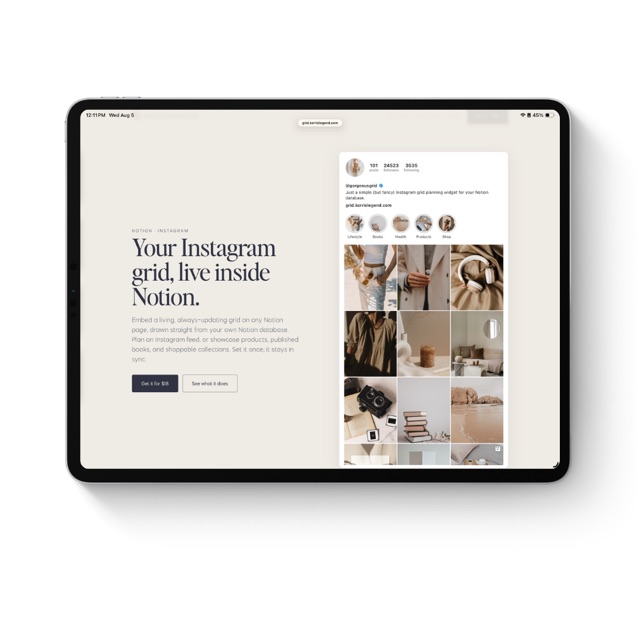
Your Instagram grid, live inside Notion.
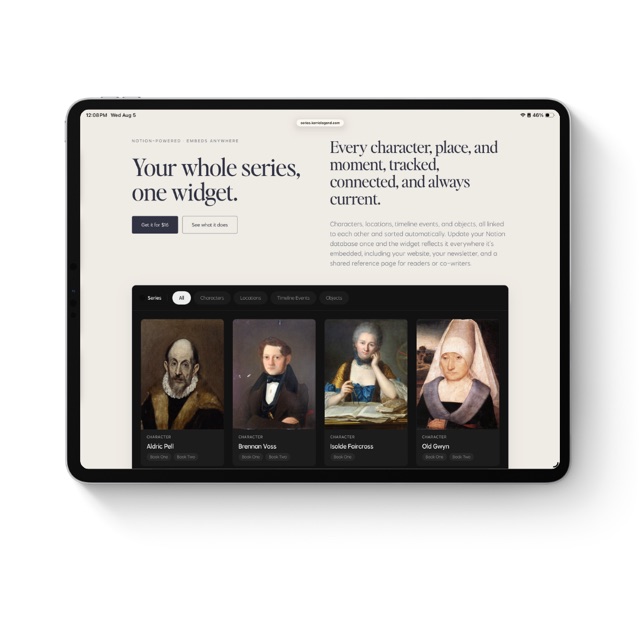
Your whole series, one widget.
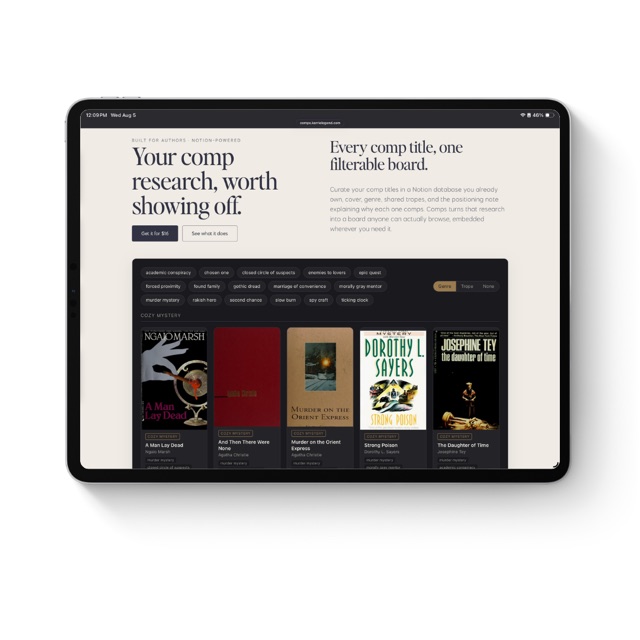
Your comp research, worth showing off.
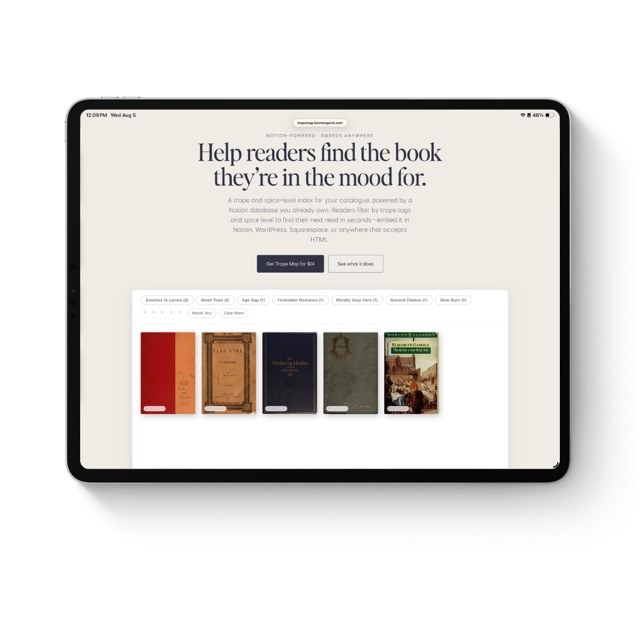
Help readers find the book they're in the mood for.
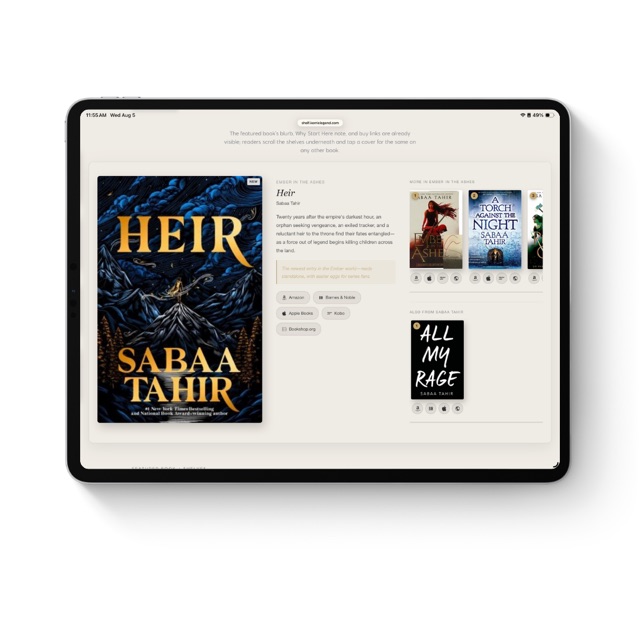
Your featured book, your shelves, one widget. Embed it anywhere.
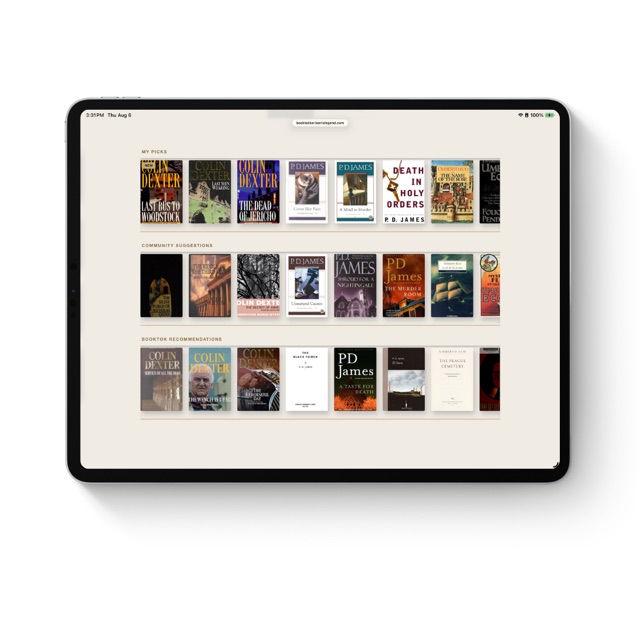
Your TBR, three shelves, one widget. Embed it anywhere.
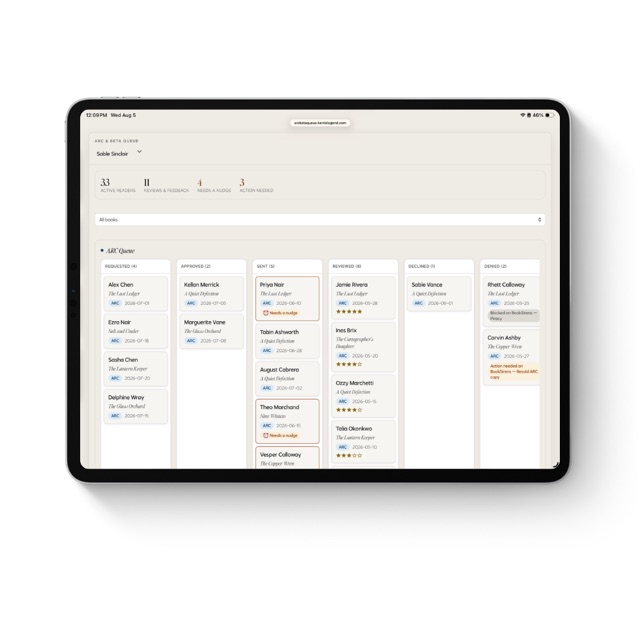
The reader tracker that tells you who needs a nudge.
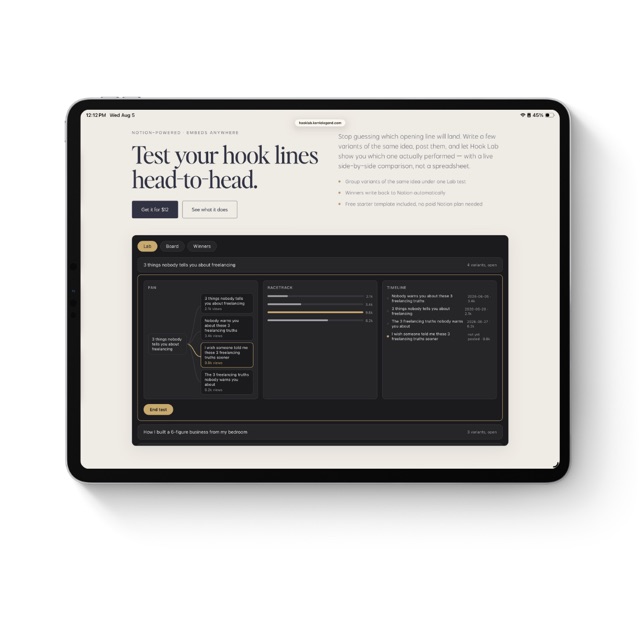
Test your hook lines head-to-head.
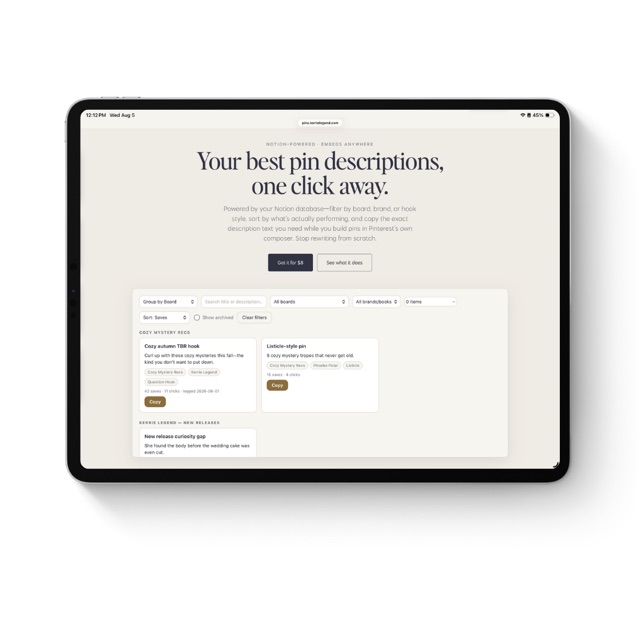
Your best pin descriptions, one click away.
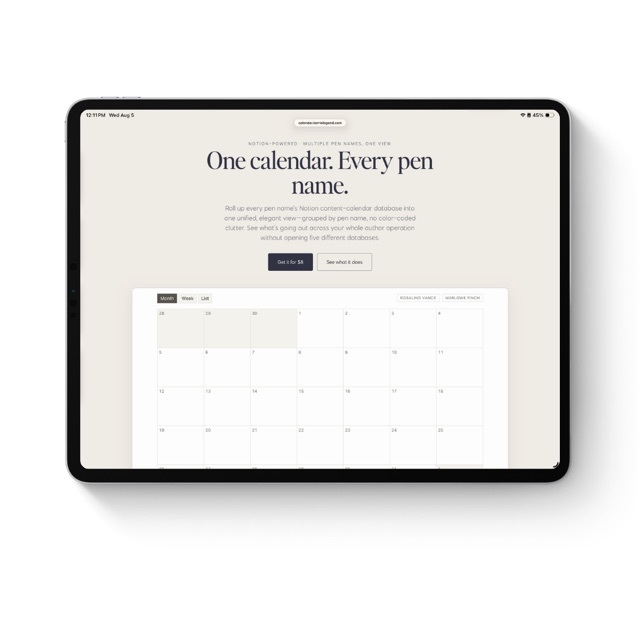
One calendar. Every pen name.
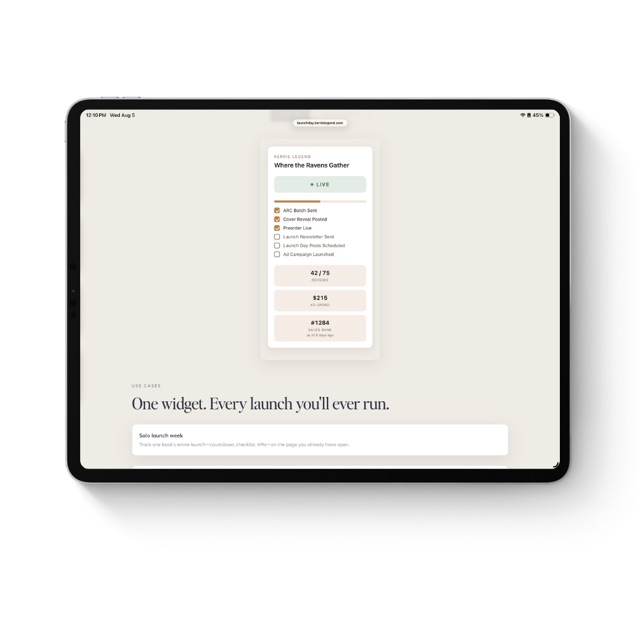
Your launch week, one glance in Notion.
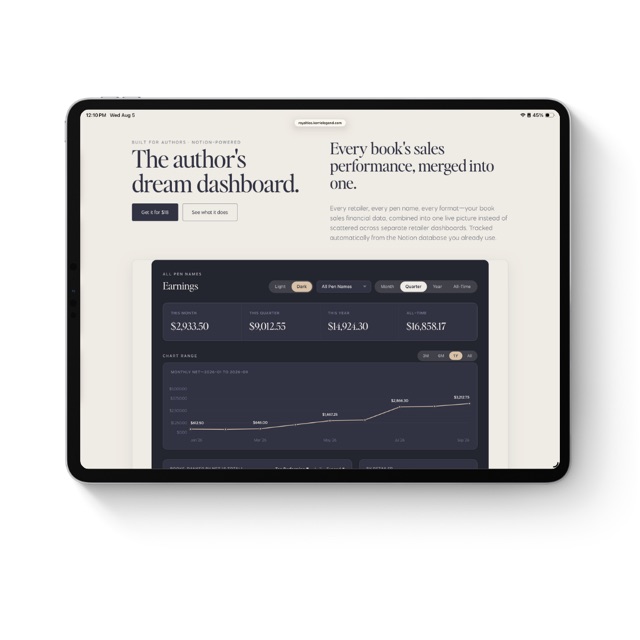
Every retailer, every pen name, one live royalty dashboard.
Your compass to an independent creative life. Books, posts, and solutions for creatives charting their own course to a sustainable, independent business.
kerrielegend.com